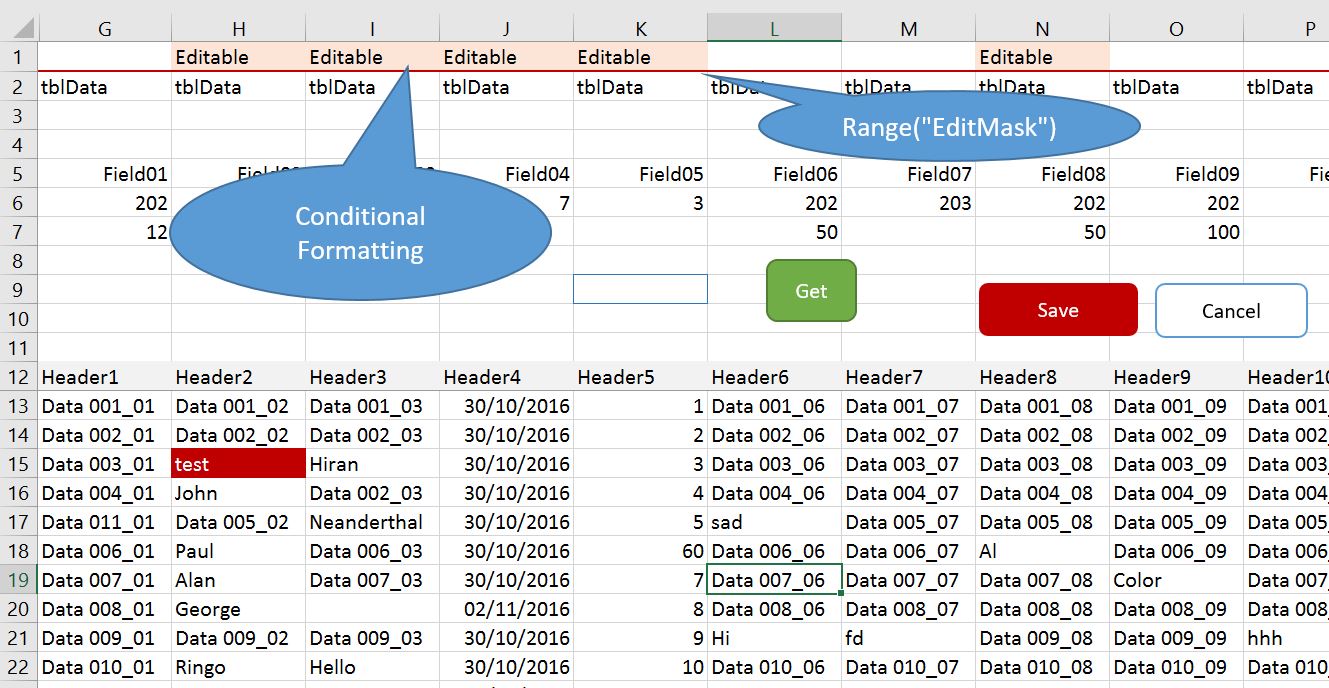
'if column is editable
If Cells(Range("EditableMask").Row, Target.Column).Value = "Editable" Then

    'if editable then do this
    'MAIN CODE GOES HERE - Validate, Highlight the dirty cell, Turn on Save button.

Else

    With Application
        .EnableEvents = False
        .Undo
        .EnableEvents = True
    End With

End If
If the column is not editable then the cell reverts to the previous value.
Optionally, have a message box say “This column is not editable”.
    MsgBox "This column is not editable"

    With Application
        .EnableEvents = False
        .Undo
        .EnableEvents = True
    End With